 ScreenBadger
Zooms on the features you show
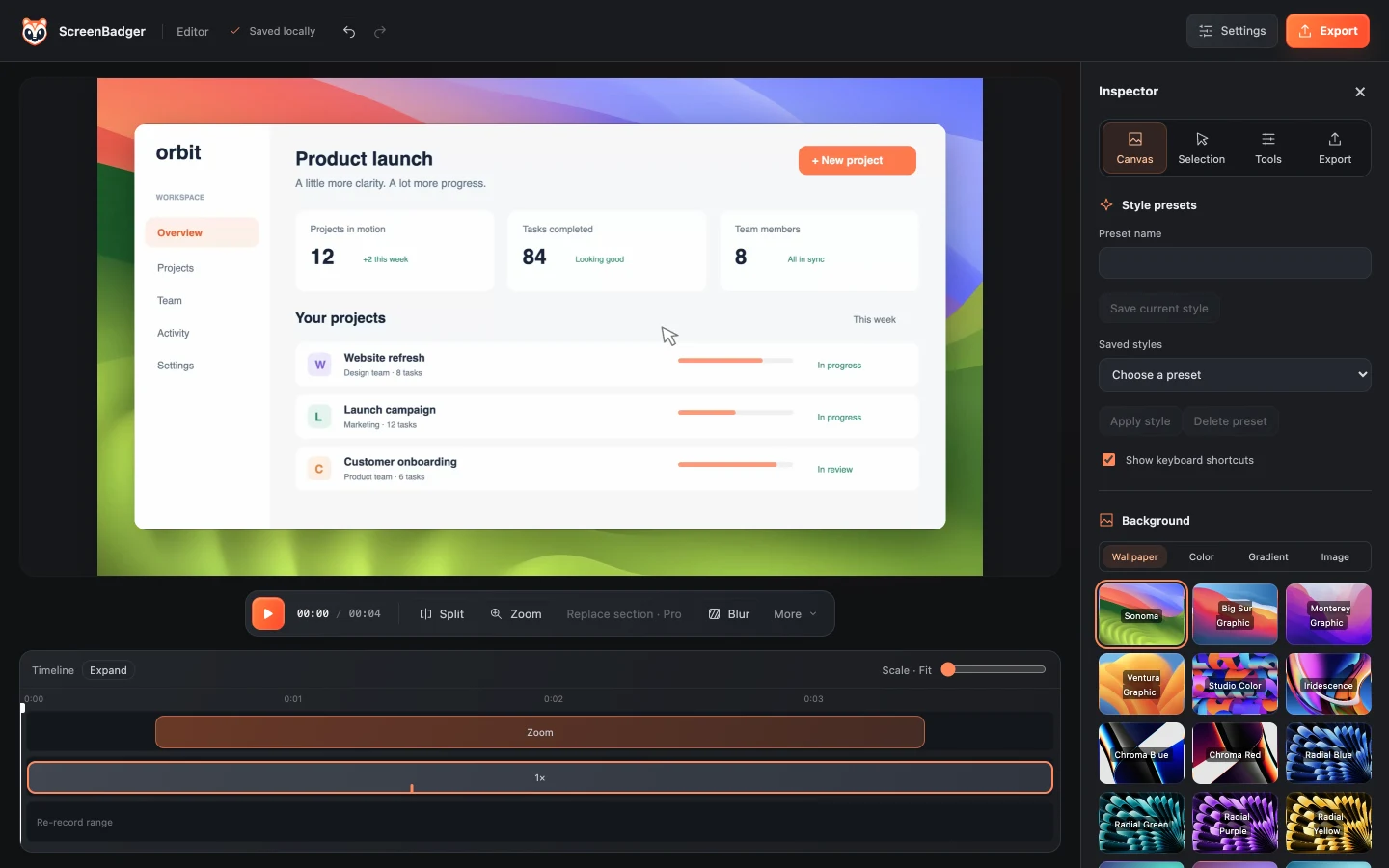
Clicks and opened dialogs become smooth camera moves, so viewers see exactly what you’re demoing.
Product demos
Record a walkthrough of your web app in Chrome, and ScreenBadger adds the zooms, background, and cursor styling that make it look produced, without a separate video editor.
Free forever · No credit card · Works in Chrome, Edge, Brave, Arc, and Opera
The problem
A plain screen capture shows everything at once, including test data and dead pauses. Turning it into a demo usually means hours in a video editor adding zooms and cuts by hand.
Why ScreenBadger
Clicks and opened dialogs become smooth camera moves, so viewers see exactly what you’re demoing.
Set a background, padding, cursor style, and camera overlay, then save it as a preset for every future demo.
Email, payment, and password fields blur automatically, and you can draw extra blurs anywhere.
How it works
Click through your product in a Chrome tab, with narration and camera if you like.
Trim, use Find dead time to cut pauses, and speed up slow sections.
Apply your preset, review the zooms, and make sure private details are masked.
Export for your landing page, YouTube, or social, or publish to Cloud for a share link.
FAQ
Yes. You can use it to create product demos, tutorials, and videos for your business or clients.
Yes. On Free, 1080p and 4K exports include a small watermark. Pro Lifetime gives you watermark-free exports through 4K.
Yes. Destination presets include portrait for Shorts, Reels, and TikTok, and the portrait layout has its own framing.
With Pro Lifetime you can re-record just that section. On Free, you can cut it out and speed up or trim the surrounding clips.
Related
Clicks become smooth, editable camera moves you can adjust on the timeline.
Learn moreMake product demo videos with auto zoom and step guides, without per-seat pricing.
Learn moreAuto zoom and polished demos in the browser, on any computer that runs Chrome.
Learn moreAdd gradient backgrounds, padding, shadows and a browser frame to any screenshot.
Learn moreRecord, edit, and export in your browser. Free forever, no credit card required.