 ScreenBadger
Clean 720p on Free, unlimited
Export as many watermark-free MP4s as you like at up to 720p. No trial, no export cap, and no credit card.
Clean exports, plainly explained
With ScreenBadger, every MP4 you export at 720p or below is watermark-free, on the free plan, with no limit on how many. Here’s exactly where the watermark does and doesn’t appear.
Free forever · No credit card · Works in Chrome, Edge, Brave, Arc, and Opera
The problem
Many free screen recorders add a logo to every export or hide clean exports behind a trial. You only find out after you’ve recorded and edited the whole thing.
Why ScreenBadger
Export as many watermark-free MP4s as you like at up to 720p. No trial, no export cap, and no credit card.
On Free, 1080p and 4K exports carry a small “Made with ScreenBadger” watermark. Pro Lifetime removes it through 4K with a one-time payment.
Screenshots from the screenshot studio are free and watermark-free at their full resolution, on every plan.
How it works
Start a recording from the ScreenBadger popup, with audio and camera if you need them.
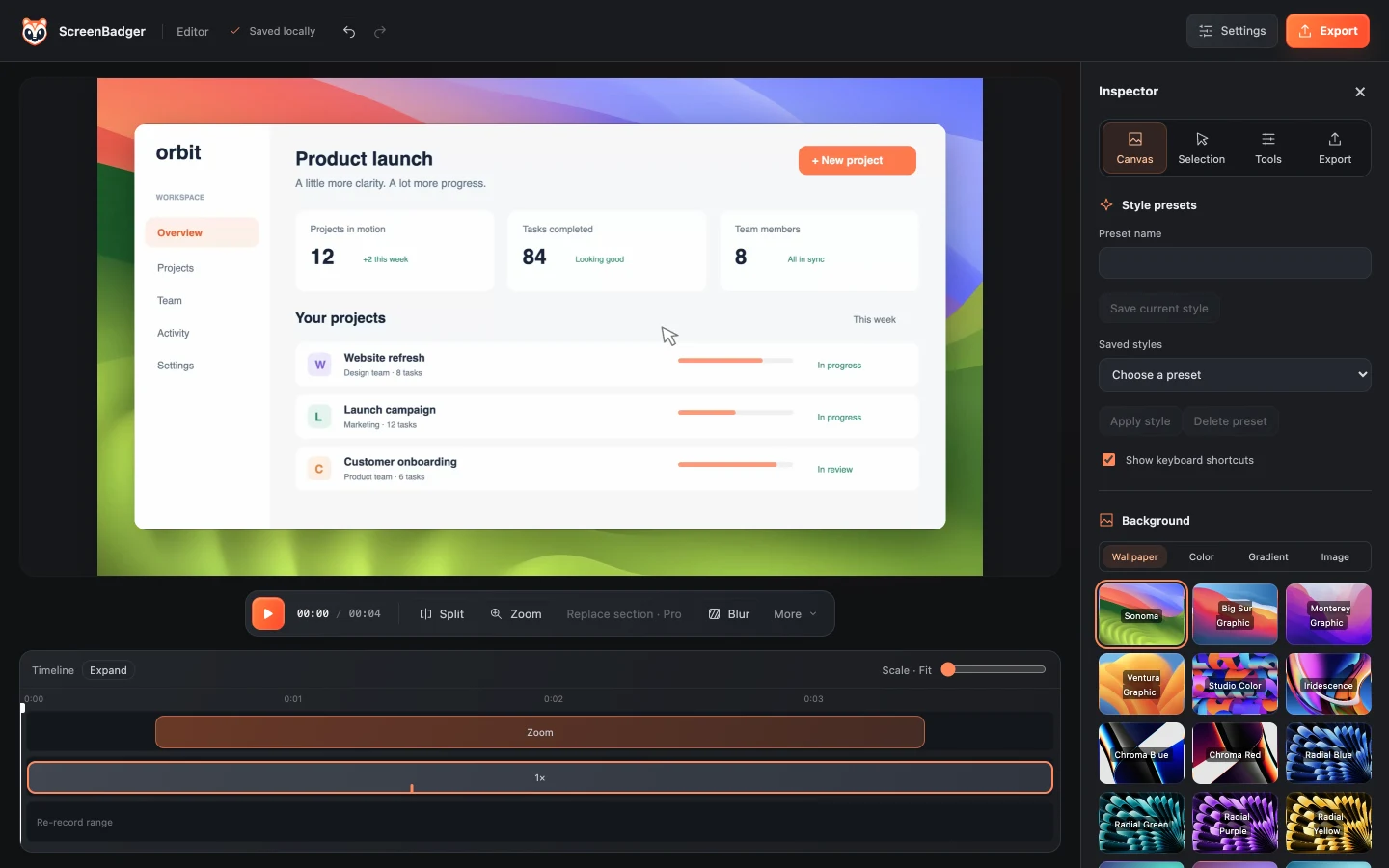
Trim, adjust zooms, and add captions. Every editing tool is included in Free.
Pick a destination and set the quality to 720p. Export quality defaults to 1080p, so change it before exporting.
Your video is rendered on your device and saved without a watermark.
FAQ
Yes, up to 720p. MP4 exports at 720p or lower have no watermark on Free. 1080p and 4K exports on Free include a small watermark.
Get Pro Lifetime. It’s a one-time payment that unlocks watermark-free MP4 exports through 4K, plus re-recording a section.
No. Cloud is for sharing and doesn’t change export rights. Videos exported on Free above 720p keep the watermark when shared.
No. GIFs are capped at 30 seconds and 1280×720, which is within the free limit, so they export without a watermark on Free.
No. Free includes unlimited watermark-free MP4 exports up to 720p.
Related
Free to record and edit, with a one-time Pro Lifetime upgrade instead of a subscription.
Learn moreTrim, split, speed up, caption, and style your recordings, then export MP4 or GIF.
Learn moreUnlimited free tab recordings up to 60 minutes, with an editor built in.
Learn moreRecord a browser tab or your entire screen for up to 60 minutes with tab sound, your microphone, and your camera.
Learn moreRecord, edit, and export in your browser. Free forever, no credit card required.