 ScreenBadger
Every step in focus
Automatic zooms follow your clicks, and a glass lens keeps typing and small text readable without hiding the rest of the page.
Tutorials and guides
ScreenBadger helps you record how-to videos people can actually follow. Zooms show each step, captions and callouts explain it, and chapters let viewers jump to the part they need.
Free forever · No credit card · Works in Chrome, Edge, Brave, Arc, and Opera
The problem
Tutorials fail when the click is too small to see, the narration runs ahead of the screen, or there’s no way to find step four again. Fixing that in a general video editor takes a long time.
Why ScreenBadger
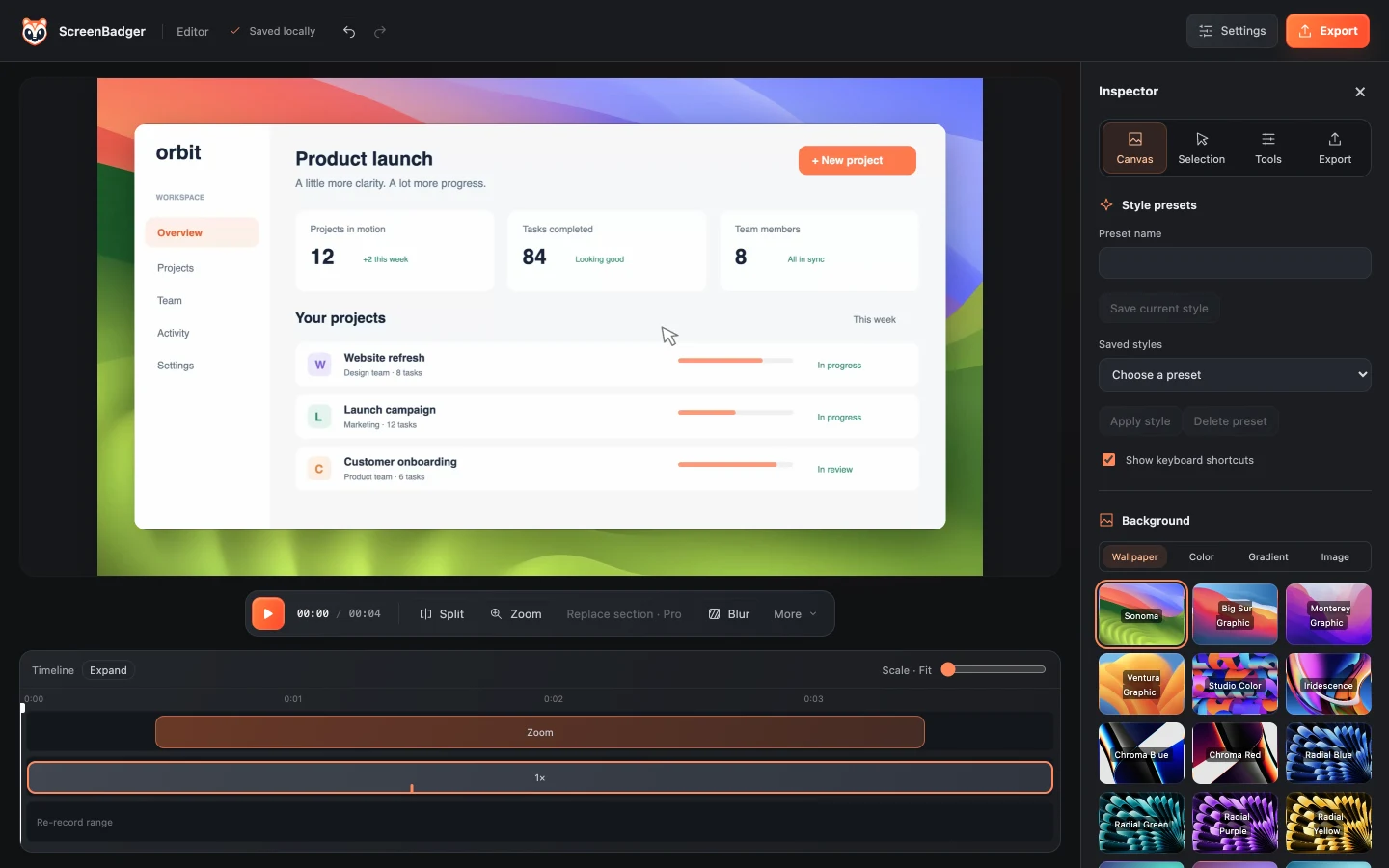
Automatic zooms follow your clicks, and a glass lens keeps typing and small text readable without hiding the rest of the page.
Write captions or import SRT/VTT, then add timed arrows, numbered badges, and spotlights.
Chapters come from your zooms. Export them as timestamps or as an HTML step guide with an image per step.
How it works
Walk through each step in a Chrome tab, narrating with your microphone.
Trim mistakes, remove pauses with Find dead time, and slow down tricky parts.
Add captions, numbered badges, and arrows where viewers need guidance.
Export an MP4, a short GIF, or a step guide, or share a Cloud link with timestamped comments.
FAQ
No. Automatic captions aren’t available. You can type captions in the editor or import SRT and VTT files, free on every plan.
Yes. Turn on keyboard shortcut overlays in Canvas to show commands like Ctrl+K as keycaps. Ordinary typed text and password fields are never shown or saved.
A standalone HTML page built from your video’s chapters, with a rendered image for each step. It’s useful for docs and help centers.
Yes. Record lessons students can pause and replay, with captions to follow along. Automatic zooms work in tab recordings, so they suit lessons that happen in the browser. For desktop apps, record your entire screen and add zooms by hand.
Related
Trim, split, speed up, caption, and style your recordings, then export MP4 or GIF.
Learn moreTurn a recorded workflow into a video with zooms and a step guide.
Learn moreRecord and edit demos in Chrome for free, with an optional one-time upgrade.
Learn moreSee a live input level and record a quick clip to hear how you sound.
Learn moreRecord, edit, and export in your browser. Free forever, no credit card required.